

Mass Deletion of Subscriber Contact Details
Edit in CMSDeleting Your Entire Audience List
Section titled “Deleting Your Entire Audience List”You can now delete your entire audience list directly in the platform using the Import CSV feature.
To do this:
-
Go to the Audience tab.
-
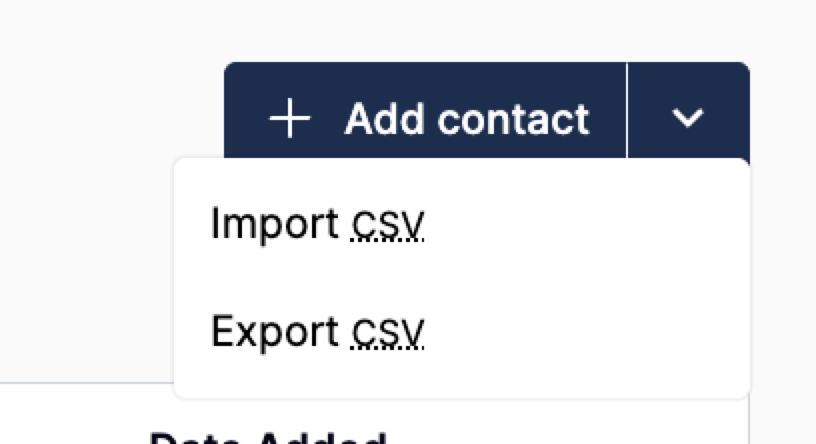
Click the dropdown next to Add Contact and select Import CSV.
-
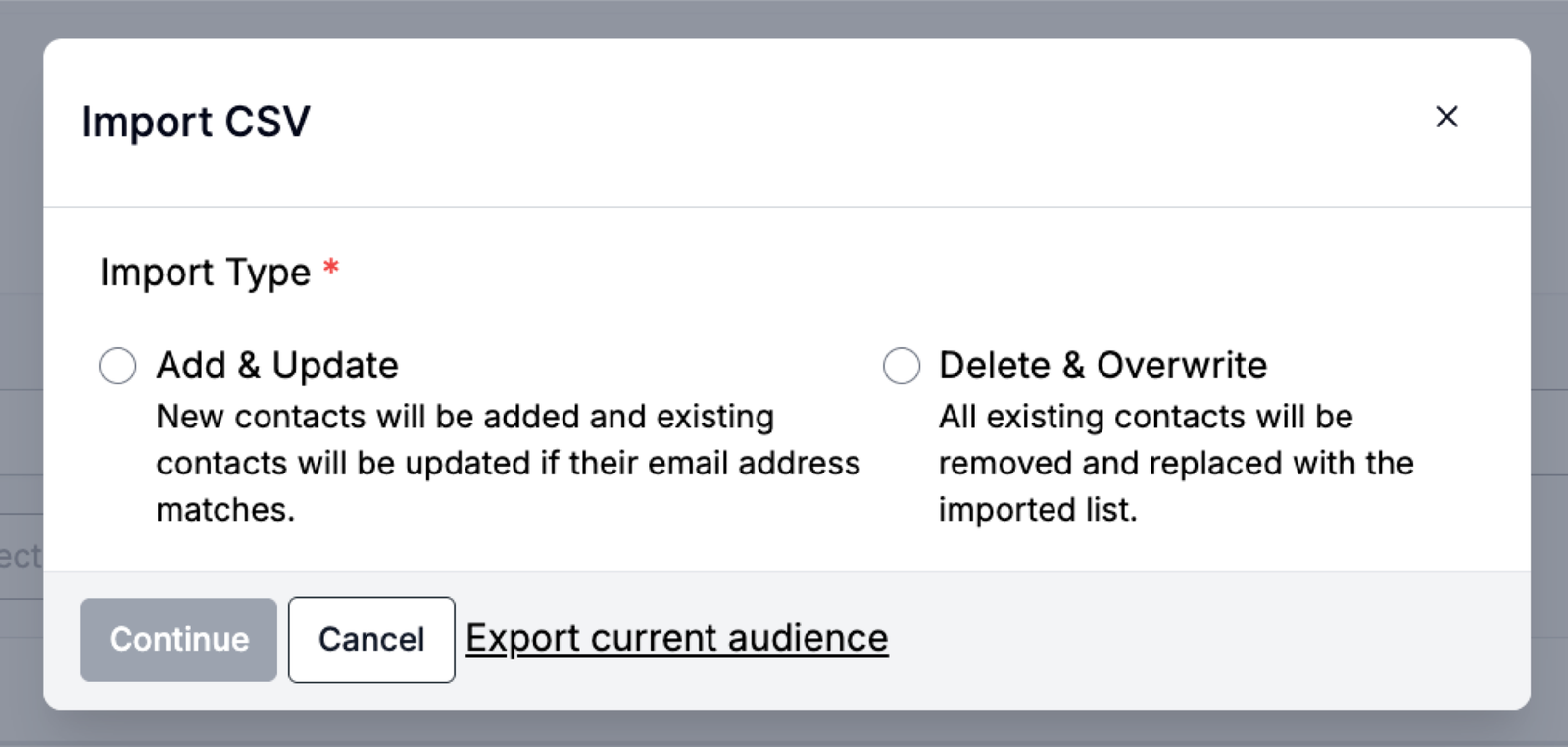
A pop-up will appear asking for the Import Type:
-
Add and Update
-
Delete and Overwrite
- Select Delete and Overwrite.
This option will: Remove all existing contacts and replace them with the imported list.
-
**⚠️ Important:
**This is the only way you can fully remove your entire audience list on your own. If you need assistance with other types of mass deletions, you will need to submit a support ticket.
Submitting a Mass Deletion Request
Section titled “Submitting a Mass Deletion Request”If you need to delete a large set of subscribers but do not want to overwrite your entire list, you can request this through our Support team.
To request a mass deletion:
- Log a ticket via the Help Center. ](/support/contact-support/)
Still can’t find what you need? Contact support.