

How to Determine Your Tenant Prefix for the Letterhead Browser Extension
Edit in CMSOverview
Section titled “Overview”When you install and use the Letterhead browser extension, you’ll be prompted to enter your tenant prefix before signing in. This article explains how to locate your tenant prefix from the Letterhead web app URL.
Determining Your Tenant Prefix
Section titled “Determining Your Tenant Prefix”Follow these steps to find your tenant prefix:
- Open the Letterhead web app: Navigate to Letterhead in your browser and sign in if needed. Once loaded, look at the URL in the address bar.
- Inspect the URL structure: The tenant prefix is derived from the subdomain (if any) before
app.tryletterhead.com. Evaluate which pattern applies
Pattern 1: When there’s no prefix before “app”:
Section titled “Pattern 1: When there’s no prefix before “app”:”- The web app URL begins with:
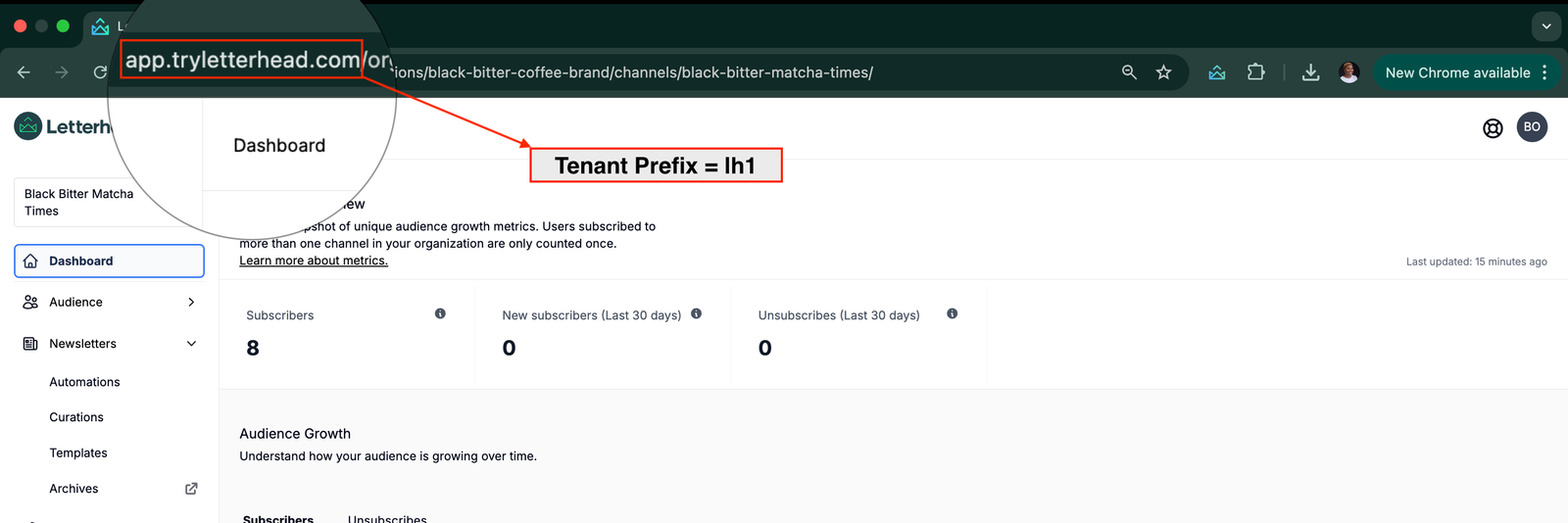
https://app.tryletterhead.com/... - In this case, your tenant prefix is
lh1.
Example:
https://app.tryletterhead.com/organizations/black-bitter-coffee-brand/channels/black-bitter-matcha-times
In the example above the tenant prefix = lh1
Pattern 2: When there’s a prefix before “app”:
Section titled “Pattern 2: When there’s a prefix before “app”:”- The web app URL begins with:
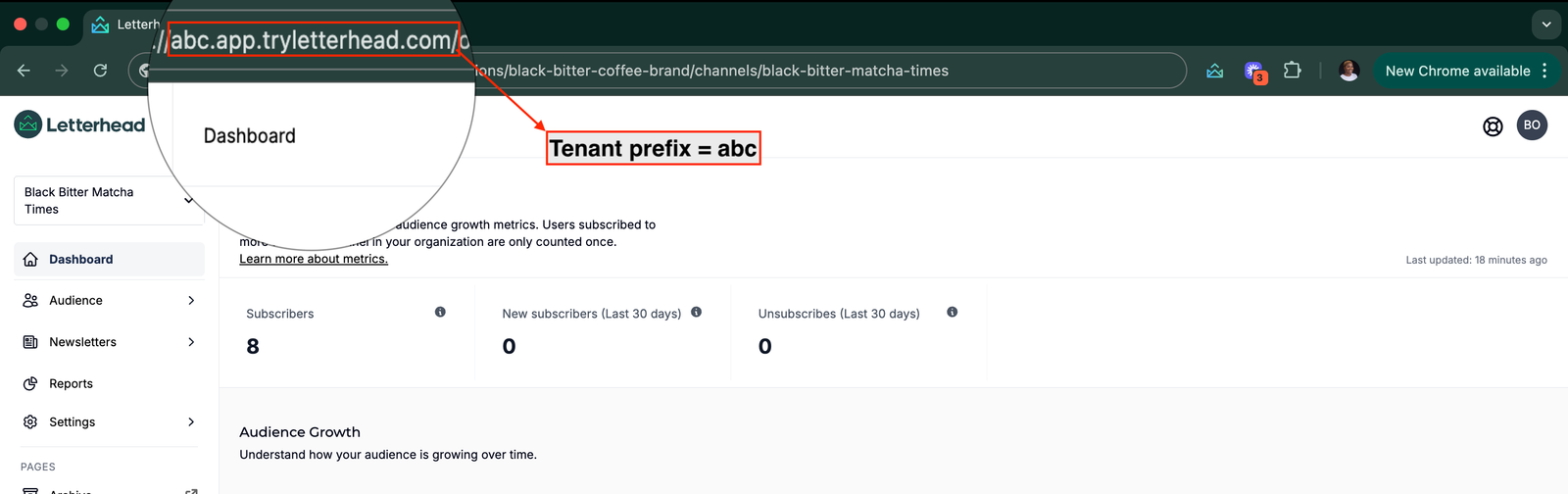
https://<prefix>.app.tryletterhead.com/... - In this case,
<prefix>is your tenant prefix.
Example 1:
https://abc.app.tryletterhead.com/organizations/… In the example 1 above the tenant prefix = abc
Example 2:
https://xyz.app.tryletterhead.com/organizations/…
In the example 2 above the tenant prefix = xyz
ℹ️ Note
Confirm you’re signed in to the correct account in the web app and verify the subdomain exactly as shown in your browser’s address bar.
For more information on how to curate articles from the web, please refer to this article.
Still can’t find what you need? Contact support.