

Manually Adding Articles to Your Curations Library in Letterhead
Edit in CMSAdding Stories and articles through the Curations Page
Section titled “Adding Stories and articles through the Curations Page”Letterhead gives you the flexibility to pull dynamic content into your Curations Library, where articles can be stored, reviewed, and inserted into your newsletters. You can populate your Curations Library via RSS Feeds, Browser Extension, curations API or manually via the curations page.
This article focuses specifically on how to add manually via the curations page.
💡 Tip
If you simply want to add a one-off URL to a newsletter, you can use the URL block in the newsletter composer instead, Learn more here
How to Manually Add Content from the Curations Page
Section titled “How to Manually Add Content from the Curations Page”To manually add articles or stories to your Curations Library:
-
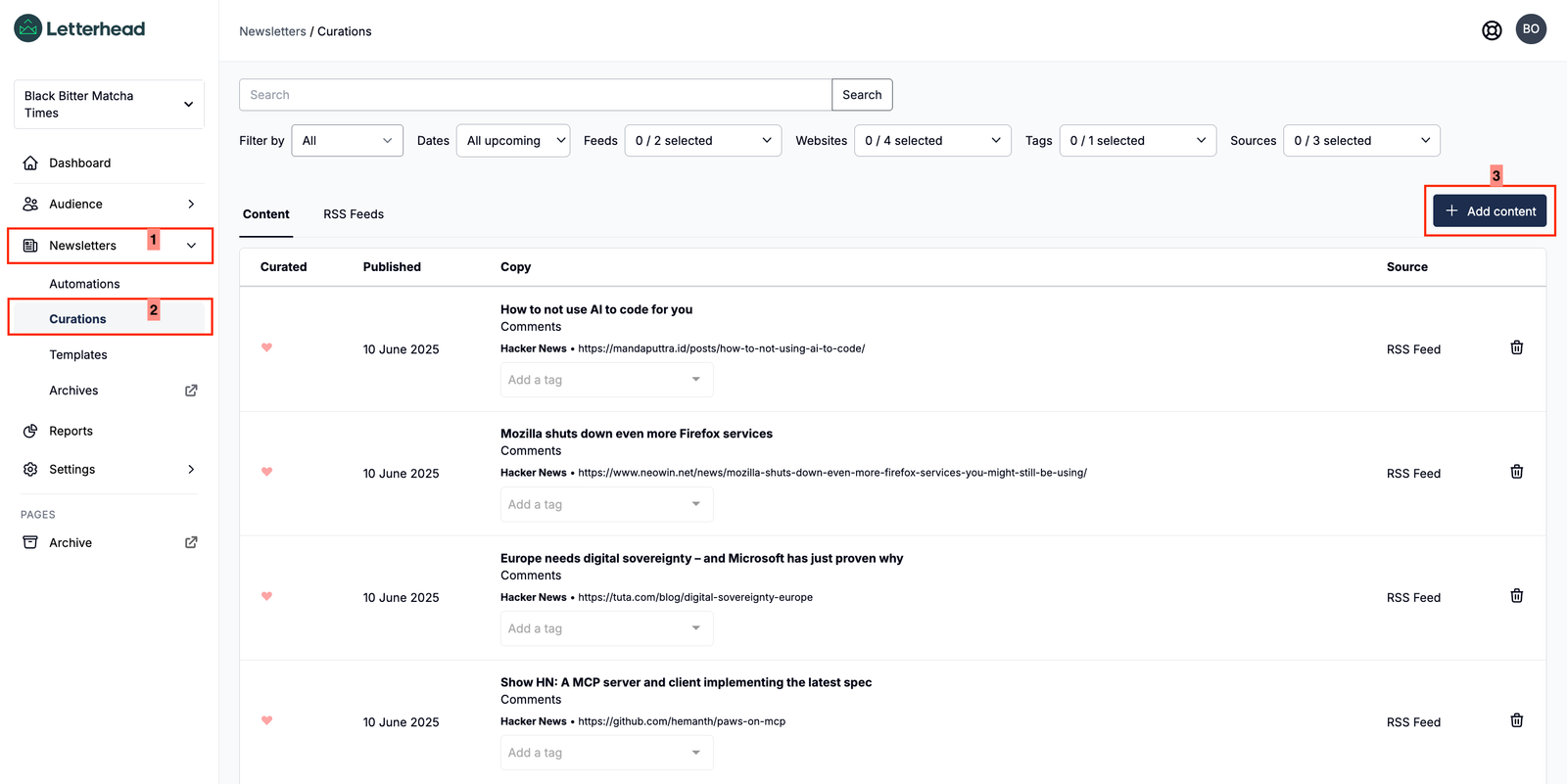
From the left-hand navigation menu, go to Newsletters > Curations.
-
On the Curations page, make sure you’re in the Content tab.
-
Click the Add Content button in the top-right corner.
-
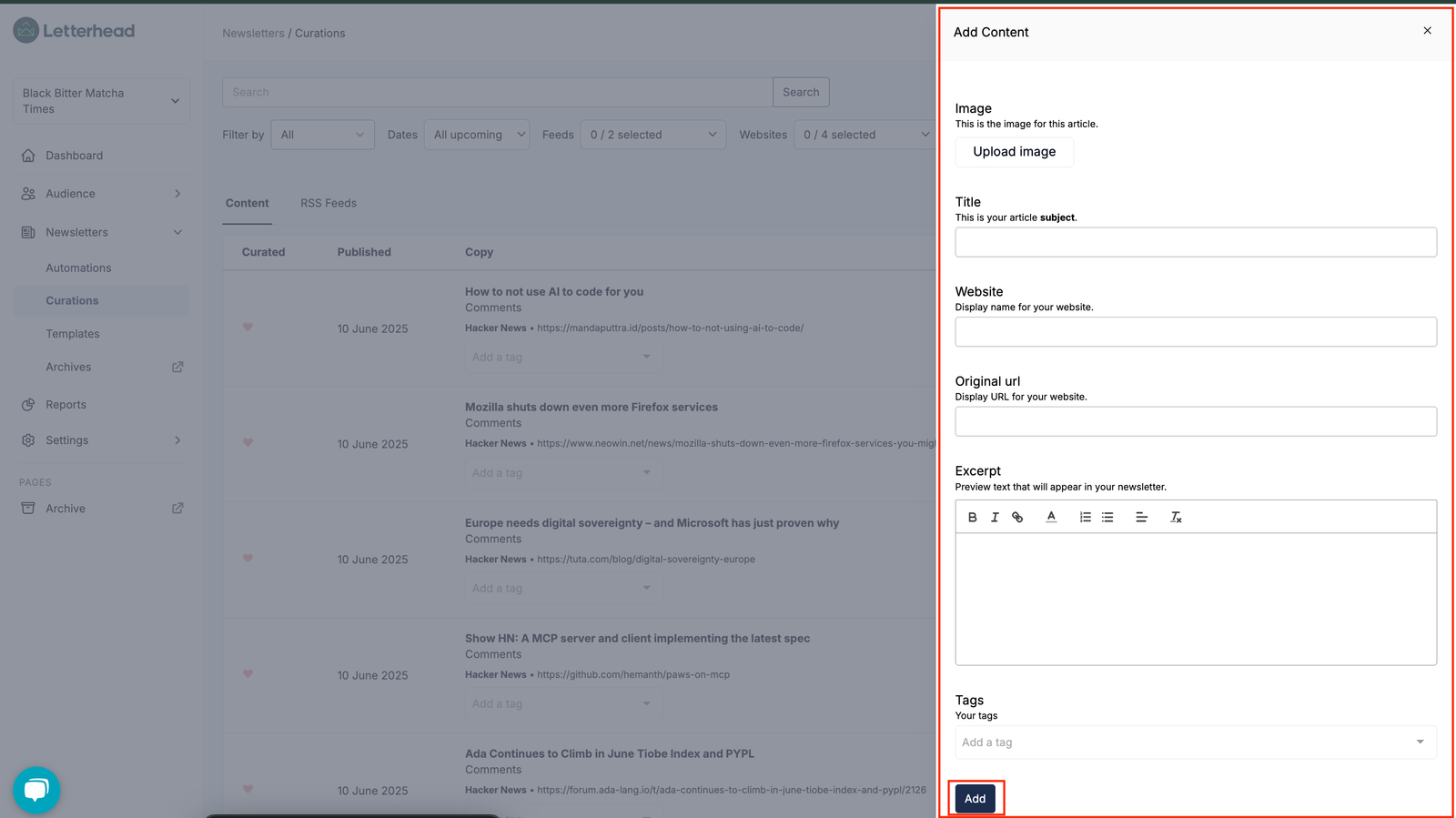
In the “Add a new article” form, enter the following details:
-
Title
-
Image (Upload from your computer or provide an image URL)
-
Website
-
Original URL
-
Content (Full article or summary)
-
Excerpt
-
Tags
-
-
Click Add to save the article to your Curations Library.
Still can’t find what you need? Contact support.