

How Do I Copy Promotions Using the Letterhead Extension?
Edit in CMSIf you have not downloaded it yet, please take a look at this article for more information.
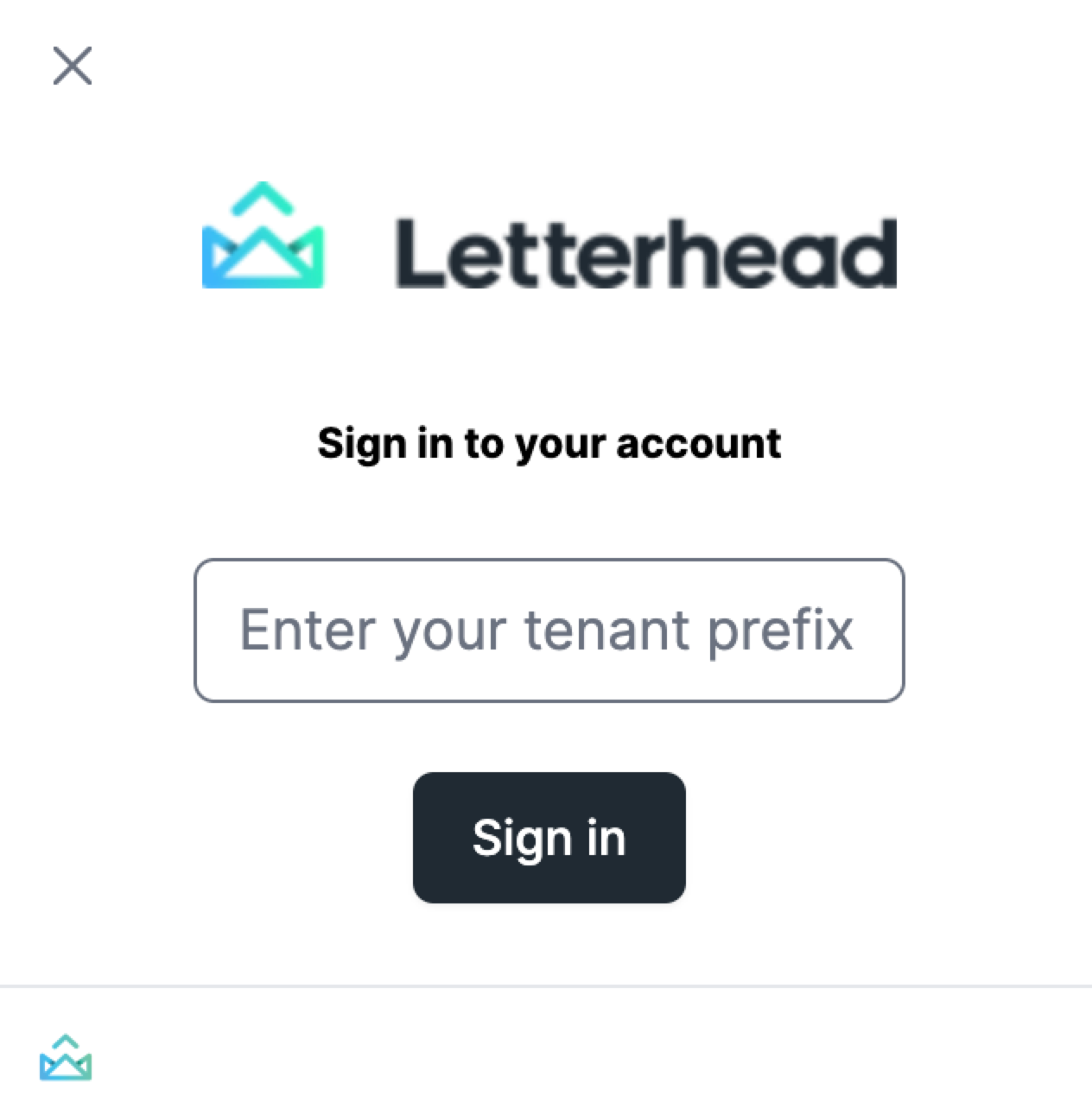
1. Log in to your account via the LETTERHEAD browser extension. Please make sure to provide the needed details [prefix], then click the sign-in button. You will then be directed to enter your email and password.
-
- Tenant Prefix: Follow the steps below to determine your tenant prefix
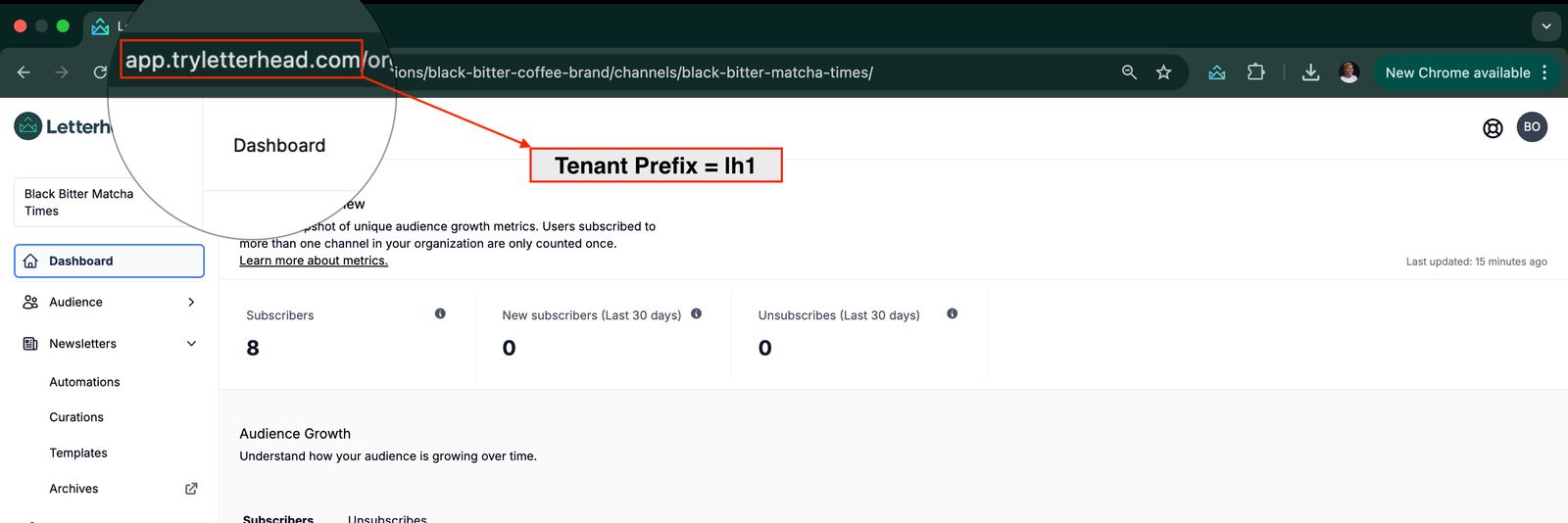
Open the Letterhead web app and observe the URL in your browser. For example:
https://app.tryletterhead.com/organizations/black-bitter-coffee-brand/channels/black-bitter-matcha-times - No prefix before “app”: If the URL begins with https://app.tryletterhead.com/…, your tenant prefix is
lh1 - Example: https://app.tryletterhead.com/organizations/… → tenant prefix =
lh1
- Tenant Prefix: Follow the steps below to determine your tenant prefix
-
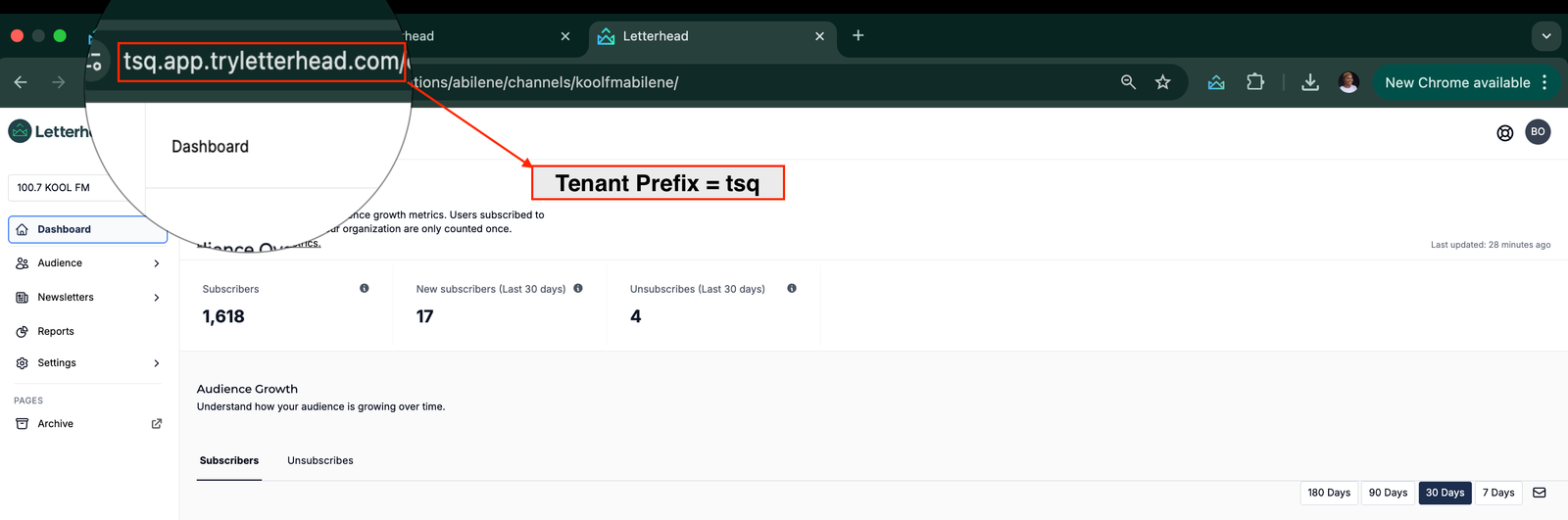
With a prefix before “app”: If the URL begins with
https://<prefix>.app.tryletterhead.com/..., that<prefix>is your tenant prefix-
- Example 1: https://tsq.app.tryletterhead.com/organizations/… → tenant prefix =
tsq
- Example 1: https://tsq.app.tryletterhead.com/organizations/… → tenant prefix =
-
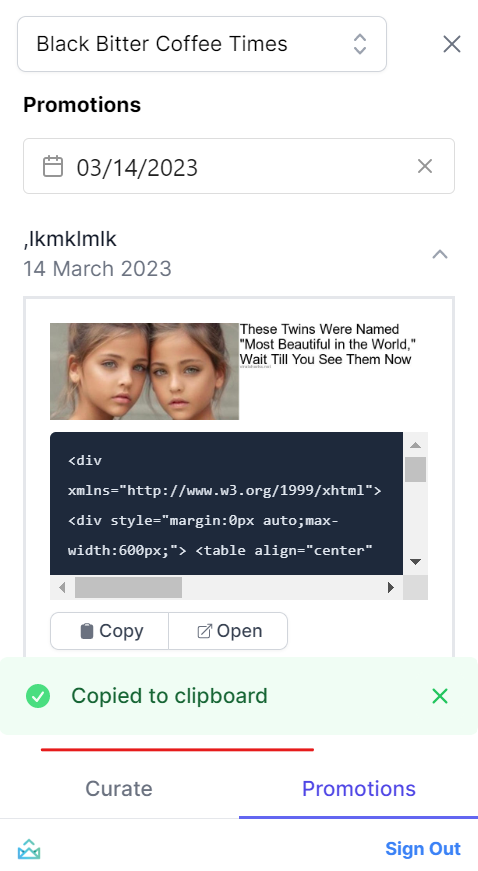
2. Click on the PROMOTIONS tab [bottom right side], and you will be able to see the list of promotions and dates.
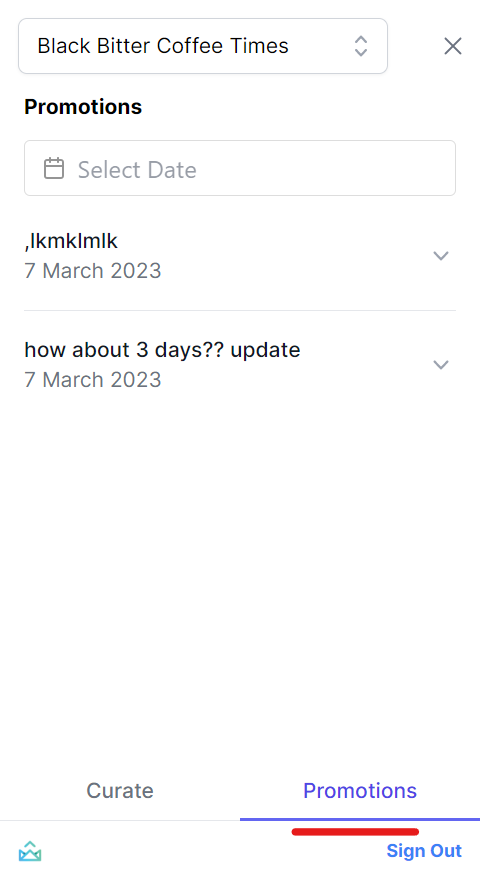
3. You can click on the “SELECT DATE” search box if you are looking for a specific month, year, and date.
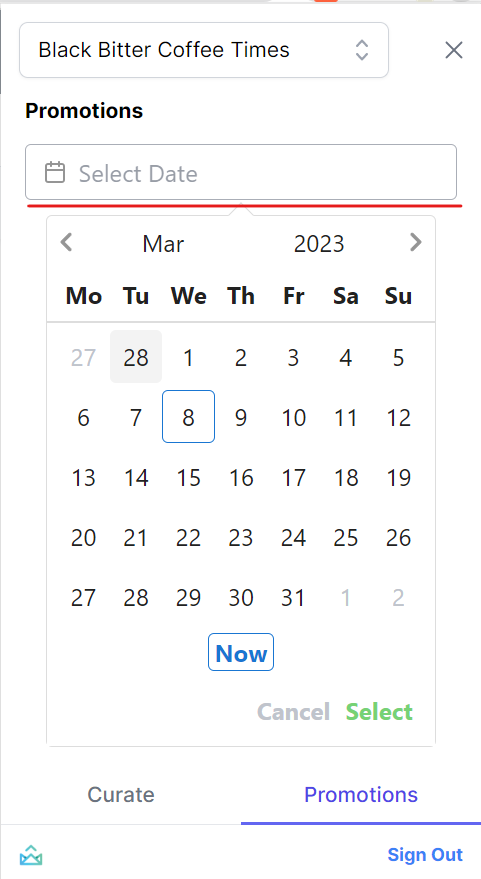
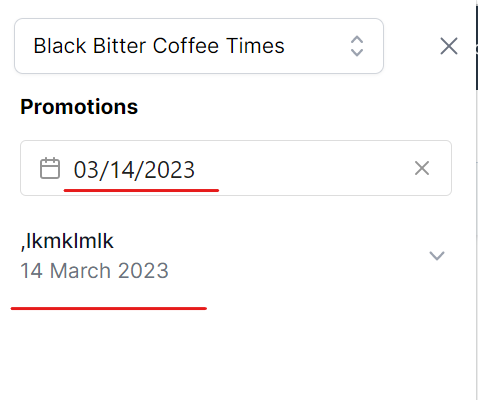
Once you have selected the date, the promotion available for that day will be displayed.
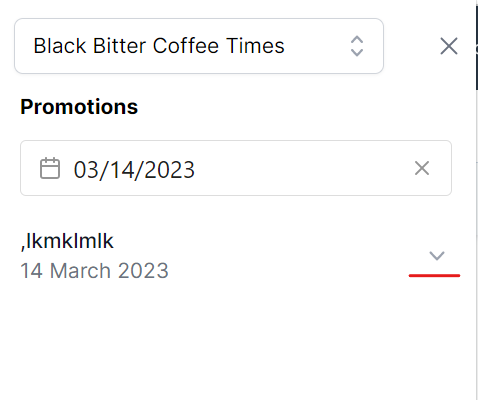
4. Click on the arrow down to see the details of the promotion
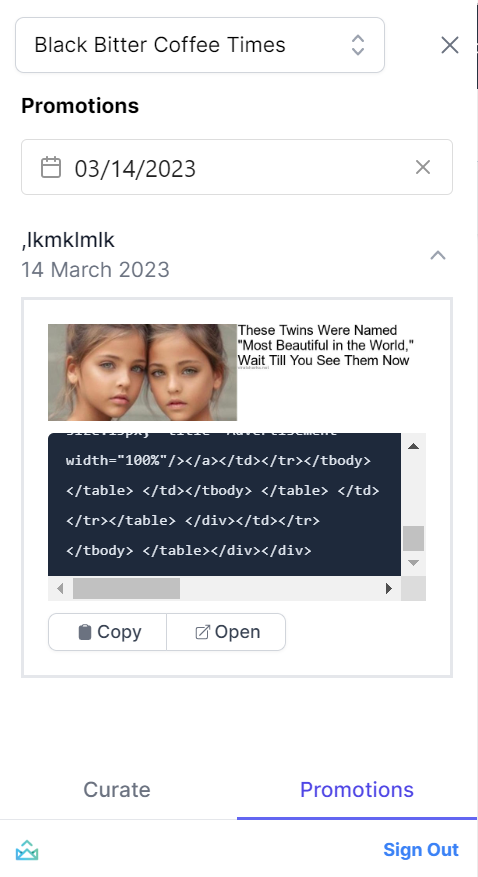
5. Once you see the promotion information displayed, you can COPY or OPEN it in Letterhead. The COPY option allow you to copy the whole HTML for that promotion, which you can then paste to your newsletter application. A GREEN NOTIFICATION will appear once it is successful.
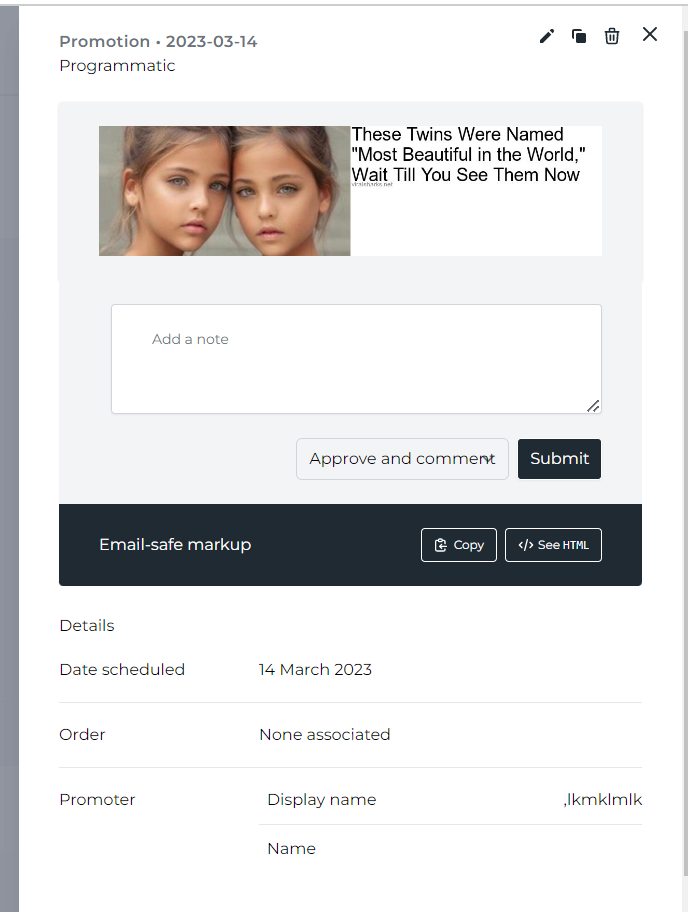
The OPEN option will route you to your Letterhead account’s PROMOTION page.
Still can’t find what you need? Contact support.