

Letterhead's Recipient Validation
Edit in CMSWhat It Does
Section titled “What It Does”-
Validates New Subscribers Automatically
Email addresses added via CSV import, embed form, or your archive page are automatically checked before being added to your audience. -
Runs Daily in the Background
Validation occurs every 24 hours and targets only unvalidated emails. -
Improves List Health & Deliverability
Helps prevent sending to mistyped or fake addresses, protecting your sender reputation and reducing bounce rates.
Note: Invalid emails are marked with a “cleaned” status.
What It Doesn’t Do
Section titled “What It Doesn’t Do”-
Custom Signup Pages Are Not Supported
Validation does not apply to email addresses submitted through custom-built signup forms. -
No Re-Validation of Existing Subscribers
Existing validated subscribers are not re-validated. Only new or unvalidated entries are checked.
Where to turn it on?
Section titled “Where to turn it on?”Organization-Level
Section titled “Organization-Level”When enabled at the organization level, Recipient Validation applies to all channels under your account. This is a good option if you want list protection across the board without managing settings individually per channel.
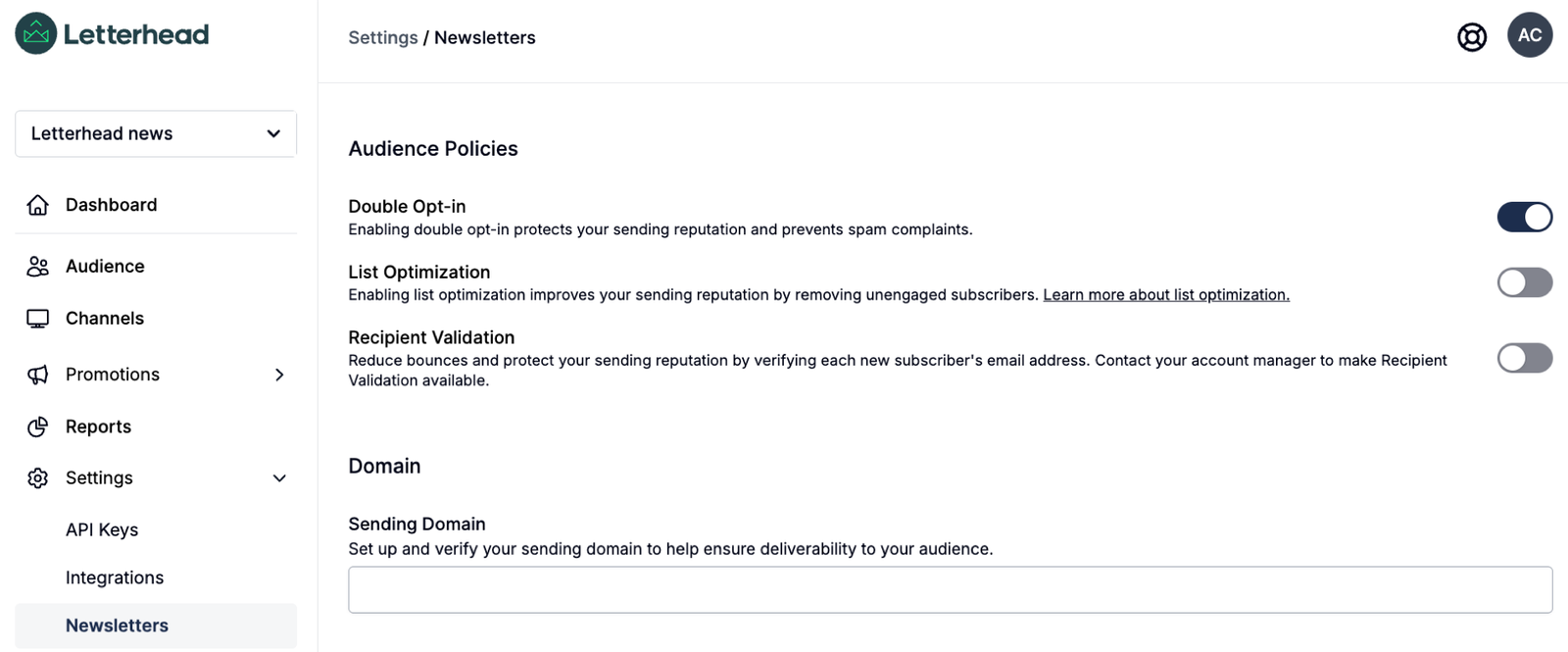
Channel-Level
Section titled “Channel-Level”You also have the flexibility to turn on Recipient Validation for a specific channel only. This is helpful if you want to test the feature on one channel first or only validate emails tied to certain newsletters.
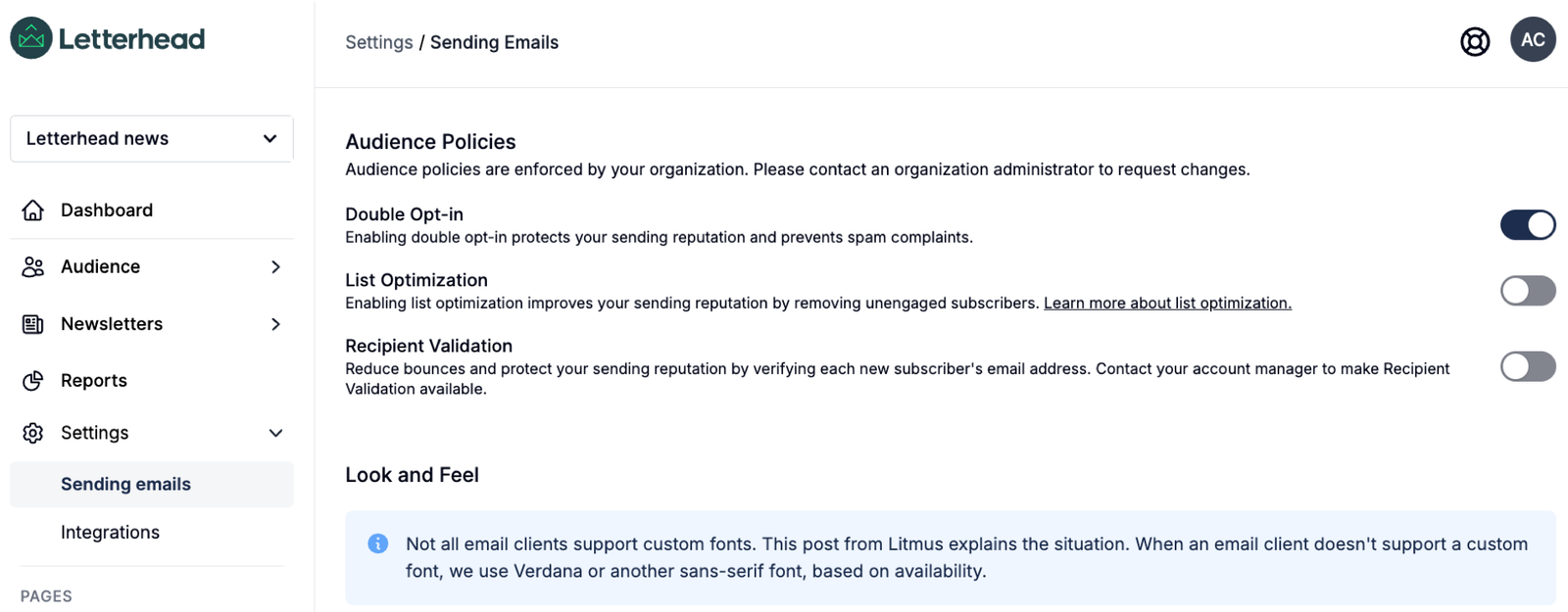
Note: Recipient Validation is a paid premium feature. To enable it, please reach out to your Account Manager for more details.
Why Use It?
Section titled “Why Use It?”Enabling Recipient Validation helps:
-
Improve your email deliverability
-
Protect your sender reputation
-
Avoid sending to invalid or fake addresses
-
Reduce bounce-related suppression and email delivery issues
Where It Applies
Section titled “Where It Applies”| Source | Validated? |
|---|---|
| CSV Import | ✅ Yes |
| Archive Page Signups | ✅ Yes |
| Embed Form | ✅ Yes |
| Custom Signup Pages | ❌ Not supported |
Still can’t find what you need? Contact support.